Secure dns with dnssec
Running the bind dns server is all good an well but in a world of malicous intend everywhere there is a need to secure a service like dns as good as possible. Since dns comes from a time when the world asumed everyone is nice and trustworthy the protocol is not cut out to be as secure as needed. So additional measures are needed to be taken and as a result dnssec was developed to add another layer of security.
Prepare for dnssec
But first things first let’s create the directory structure for dnssec keys.
# cd /usr/local/etc/namedb
# mkdir keys
# mkdir keys/yourdomain.tld
Important
the keys directory and subsequencial directories need to be owned bind dns server!
# chown -R bind:wheel /usr/local/etc/namedb/keys
A key pair needs to be created to sign the zone data later on.
# cd /usr/local/etc/namedb/keys/yourdomain.tld
# dnssec-keygen -a ECDSAP256SHA256 yourdomain.tld
This command will create a pair of key files in the current directory.
# ls -l /usr/local/etc/namedb/keys/yourdomain.tld
-rw-r--r--  1 bind  wheel  459 Nov  9 21:34 Kyourdomain.tld.+013+29805.key
-rw-------  1 bind  wheel  235 Nov  9 21:34 Kyourdomain.tld.+013+29805.private
Now the keys are ready to be used in the zone section of named.conf so there need to be some additions done to it.
The documentation of bind dns server will state it’s enough to use the default dnssec policy since it will take care of the whole setup but it’s
better to take control over the lifetime of keys so lets define a policy to use in the zone.
Edit named.conf to use dnssec
dnssec-policy standard {
        keys {
                ksk key-directory lifetime unlimited algorithm ECDSAP256SHA256;
                zsk key-directory lifetime P60D algorithm ECDSAP256SHA256;
        };
};
With that definition a dnssec policy called standard is created and it defines two types of keys as well as there lifetime and algorithm used.
Note
kskstands for key signing key, it will never expirezskstands for zone signing key, it will expire every 60 days
The first key will be uses to sign new keys when dnssec needs to rollover zone signing keys and the second key will be used to sign the zone data.
In the zone section the dnssec attributes get added like the policy, the keys directory and the way of signing the data.
zone "yourdomain.tld" {
        type master;
        file "/usr/local/etc/namedb/master/yourdomain.tld/yourdomain.tld";
        allow-transfer { localhost; internal_nets; afraid_servers; };
        notify explicit;
        also-notify { 216.218.130.2; 2001:470:100::2; 69.65.50.223; };

        key-directory "/usr/local/etc/namedb/keys/yourdomain.tld";
        dnssec-policy standard;
        inline-signing yes;
};
A restart of bind dns server will make sure the changes are applied and the zone data get signed.
# service named stop
# service named start
Publish the dnsec key to parent zone
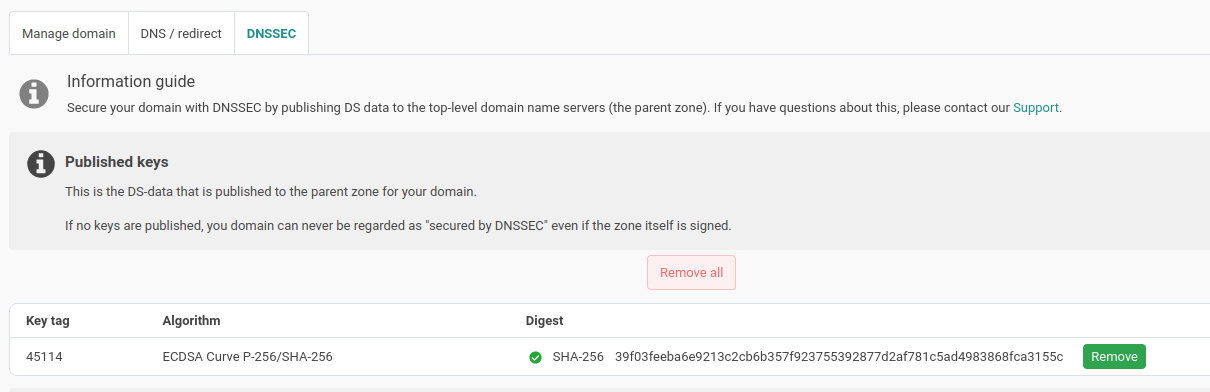
In the nameisp.com web UI is an option to publish the public dnssec zone key to the parent zone. This is needed to establish the trust between the domain and the parent zone.
Note
it can take a while, after publishing the key to the parent zone, till changes are propagated.
Check that dnssec works as expected
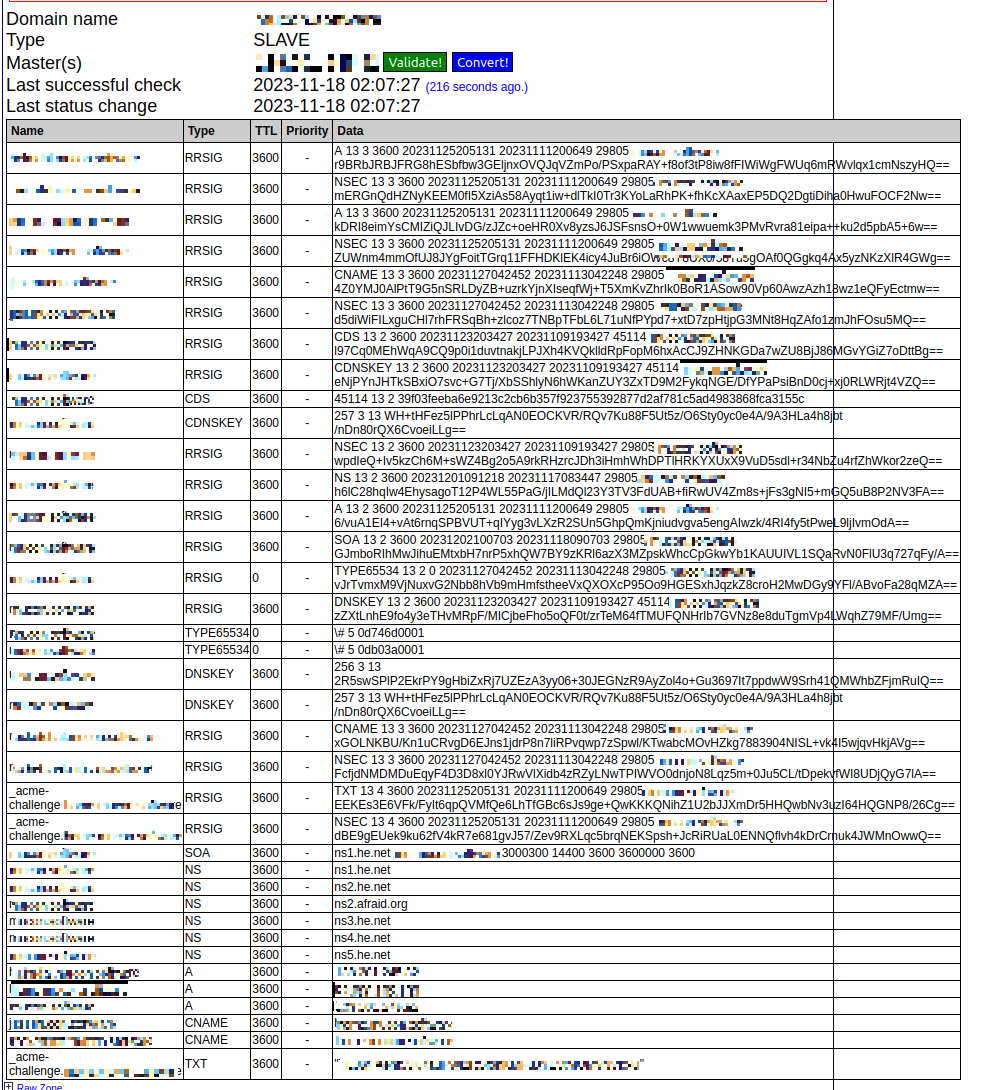
If dnssec is setup it’s time to check if it works as expected. The Hurrican Electric web UI should show the signed zone data.
Another option to check the setup is zonemaster.net. On the site it’s possible to get useful informations about the setup and possible problems.
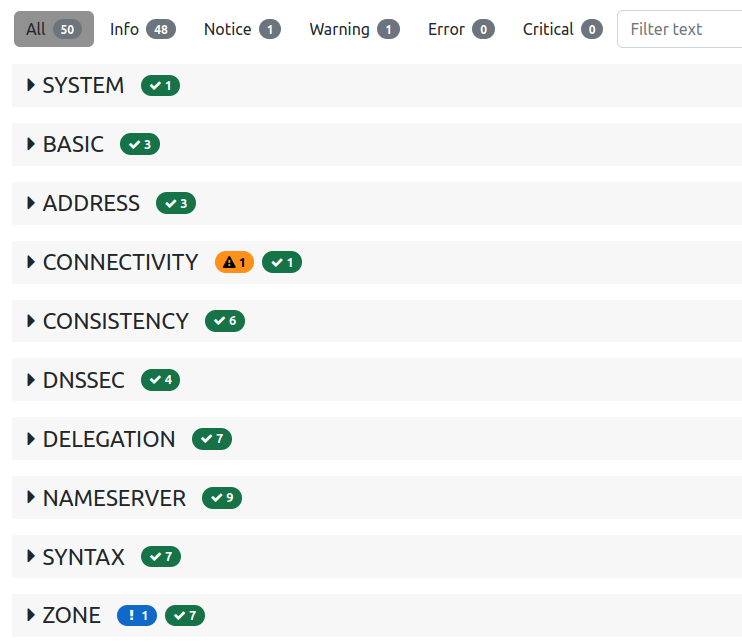
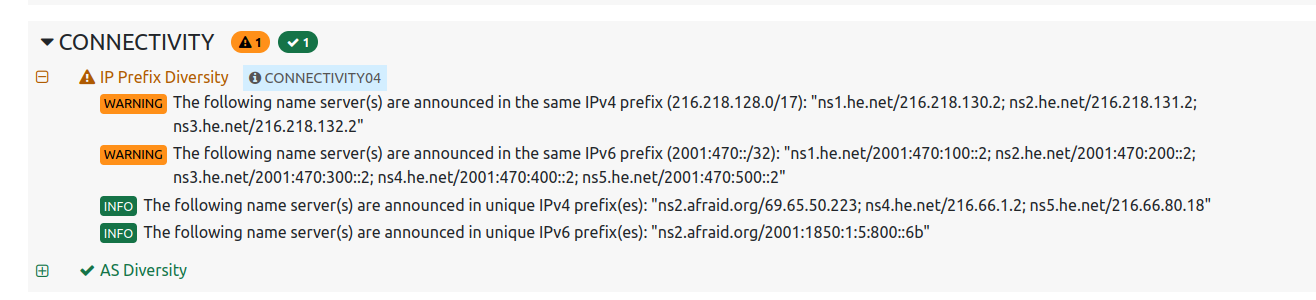
The summary shows some warnings and informations about the zone setup. Zonemaster is concerned that ip prefix diversity isn’t given.
Note
This shouldn’t be considered a misconfiguration since Hurrican Electric servers will provide enough diversity.
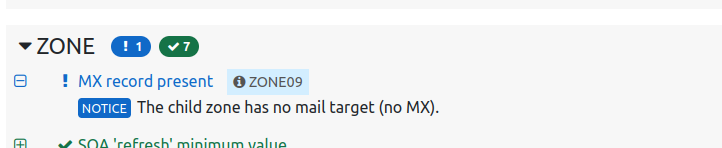
There is also an information that the zone has no mx record, since there is no mailserver setup for the zone we simply omit it at this time.