Prerequisites
This document will rely on some assumtions and therefore a few things need to be prepared. This part won’t be a step by step tutorial, on “how to get the prerequisites for the stealth dns”, since you could do it in a dozen different ways. This part is based on the recommendations of Per-Olov Sjöholm and uses the following infrastructure and providers.
Domain Registration
nameisp.com
Free DNS for Slave DNS
Hurrican Electric and Afraid.org
Virtual Server
Hetzner
This means you won’t get it all for free if you don’t have a registered domain or a server somewhere. The cost for a virtual machine at hetzner.com isn’t that high (around 6€/month) and for the domain registration you can go from one Euro up to a few hundred Euro a month.
Anyway let’s start by setting things up!
Note
To get the most out of the the following parts try to do this part at least 12 hours before you move on to the actual part of configuring your DNS.
Prepare your Domain to use the Hurrican Electric DNS Servers
As first step it’s necessary to define the nameservers used by the domain. This is straight forward and should look like this in the nameisp.com interface.
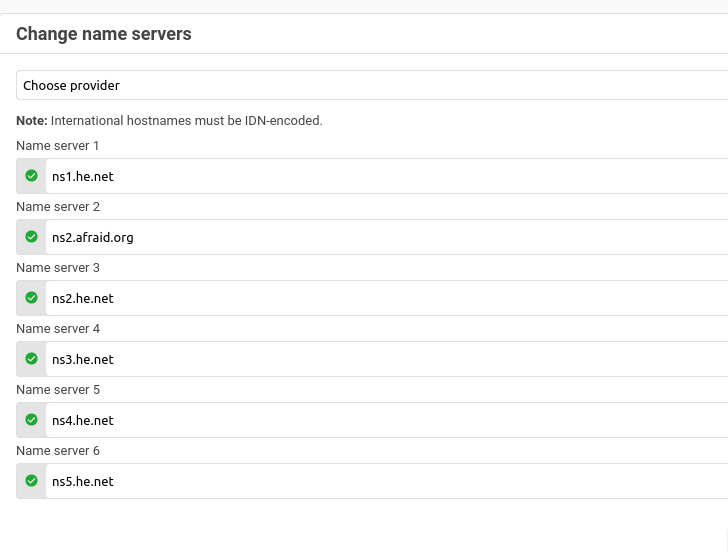
ns1.he.net
ns2.he.net
ns3.he.net
ns4.he.net
ns5.he.net
ns2.afraid.org
Note that the Hurrican Electric and afraid.org servers got placed in there since those will act as the slave dns servers for the bind dns server we are going to setup. If you got an other provider for your slave zones you should add them accordingly.
Prepare Hurrican Electric account to act as dns for your domain
For this to work we actually would need a running master so we skip this part and instead we create a master zone on Hurrican Electric. The zone will need an SOA and A record so our domain gets propagated. Again if you are using another provider you need to do these steps there.
Creating a Master zone
First of all add a domain in our DNS account.
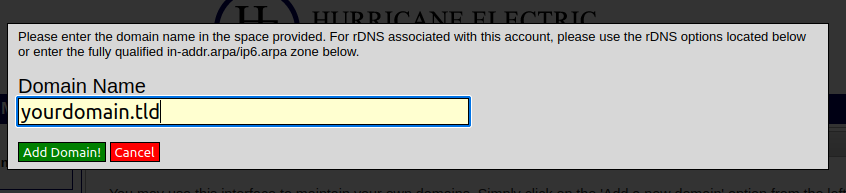
After the Zone is created the web UI should show something like this.

Clicking on the edit button (red underline in the picture) to configure the zone and add an A record for our virtual machine.
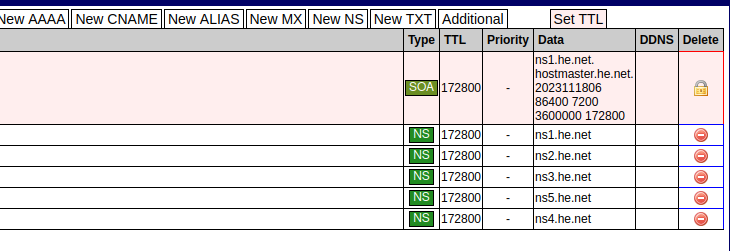
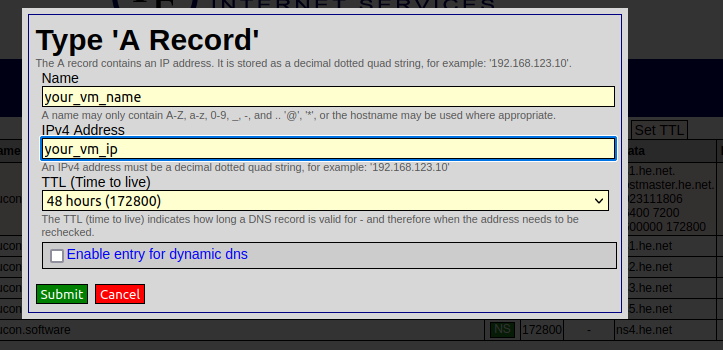
Later on, when the setup of the stealth dns master is finished, the master zone will be replaced by a slave zone instead. This zone will pull information from the master and act as the nameserver seen on queries from the internet.
Hint
we only need to do this so our domain is ready to use Hurrican Electric name servers!
Prepare your virtual machine to run dns
Caution
Again, this makes some assumtions so if you got a different OS or DNS server you need to adapt this to your own needs!
The virtual machine is hosted at hetzner.com and it doesn’t need to be a machine with lot of resources if you just want to try out things. The following specs are used for the setup and the costs are around 6€/month.
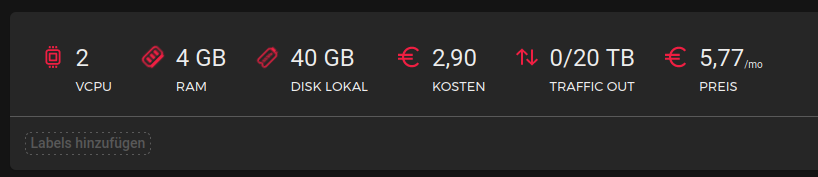
The operating system, on the virtual machine, is a FreeBSD simply because the author is opinionated enough to run it. It’s the authors believe that FreeBSD provides better security features then most of the linux distributions out there. To get FreeBSD, or if you want a little more maintenance intensive OS choose OpenBSD, the virtual machine needs to be initalized with an OS given at creation time. After the creation it’s possible to mount an iso image with a different OS from a list of available images. As mentioned we will choose the latest version of FreeBSD (13.2 at the time of the writeup).
The installation process isn’t the scope of this document, so after the inital install we do a system update to get the latest patches. To run bind dns server 9.18, this is the latest relase available at the time, the following packages need to be installed.
root@heimdal:~ # pkg info
bind-tools-9.18.19             Command line tools from BIND: delv, dig, host, nslookup...
bind918-9.18.19                BIND DNS suite with updated DNSSEC and DNS64